Inventory and reports
Know what runs on every machine without opening any of them
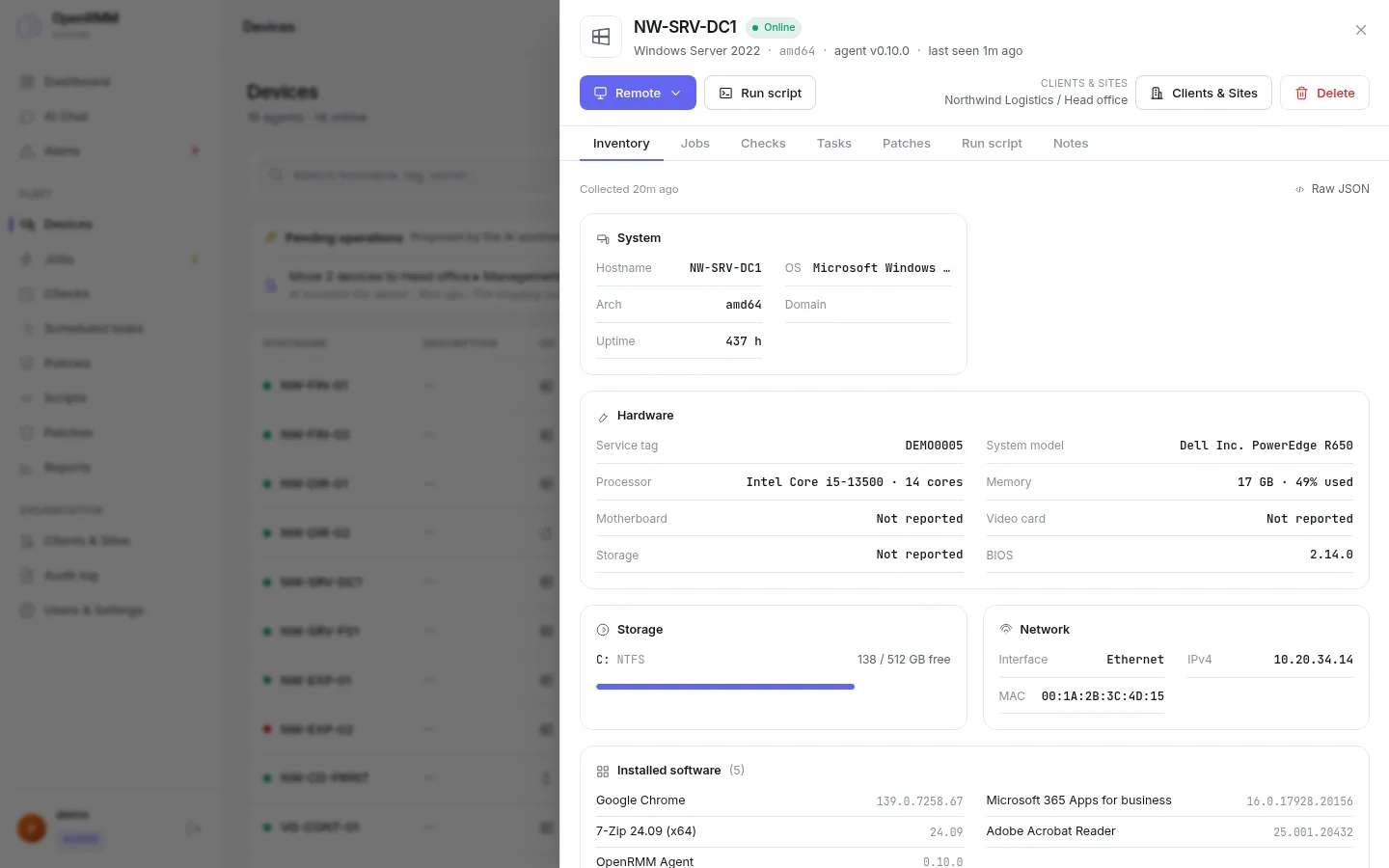
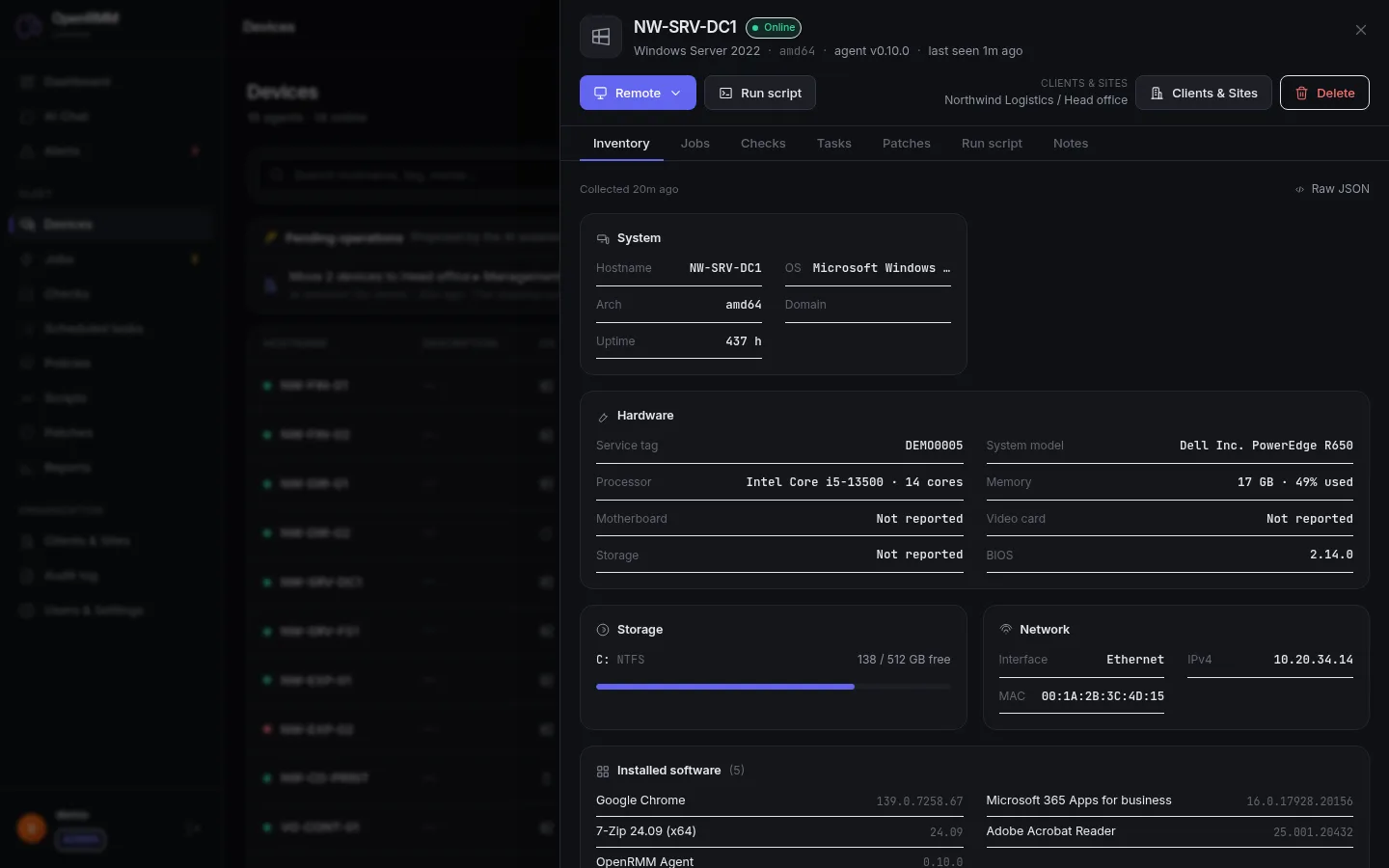
The agent sends the inventory as soon as the machine joins the fleet and keeps it up to date. Ask the AI, or generate a per-client report in seconds.
Per machine
Everything about the device on one page
Hardware
Processor, memory, operating system and architecture.
Software
Installed programs and patch state.
Disks and network
Volumes, space usage and network interfaces.
Health
Checks, tasks, open alerts and remote access one click away.
Reports
Answers per client, not manual spreadsheets
Reports are computed in the database and respect the scope of whoever asks. A technician for client A never sees client B's data.
- Fleet inventory of software, hardware and machines, grouped by company, site and department.
- Patch compliance showing what is missing on each machine.
- CSV export to use in Excel or send to the customer.
- Reports through the AI: ask "how many machines still have Office 2016?" and get the table in the chat, with a CSV to download.
- Audit log you can filter and export.
Dashboard
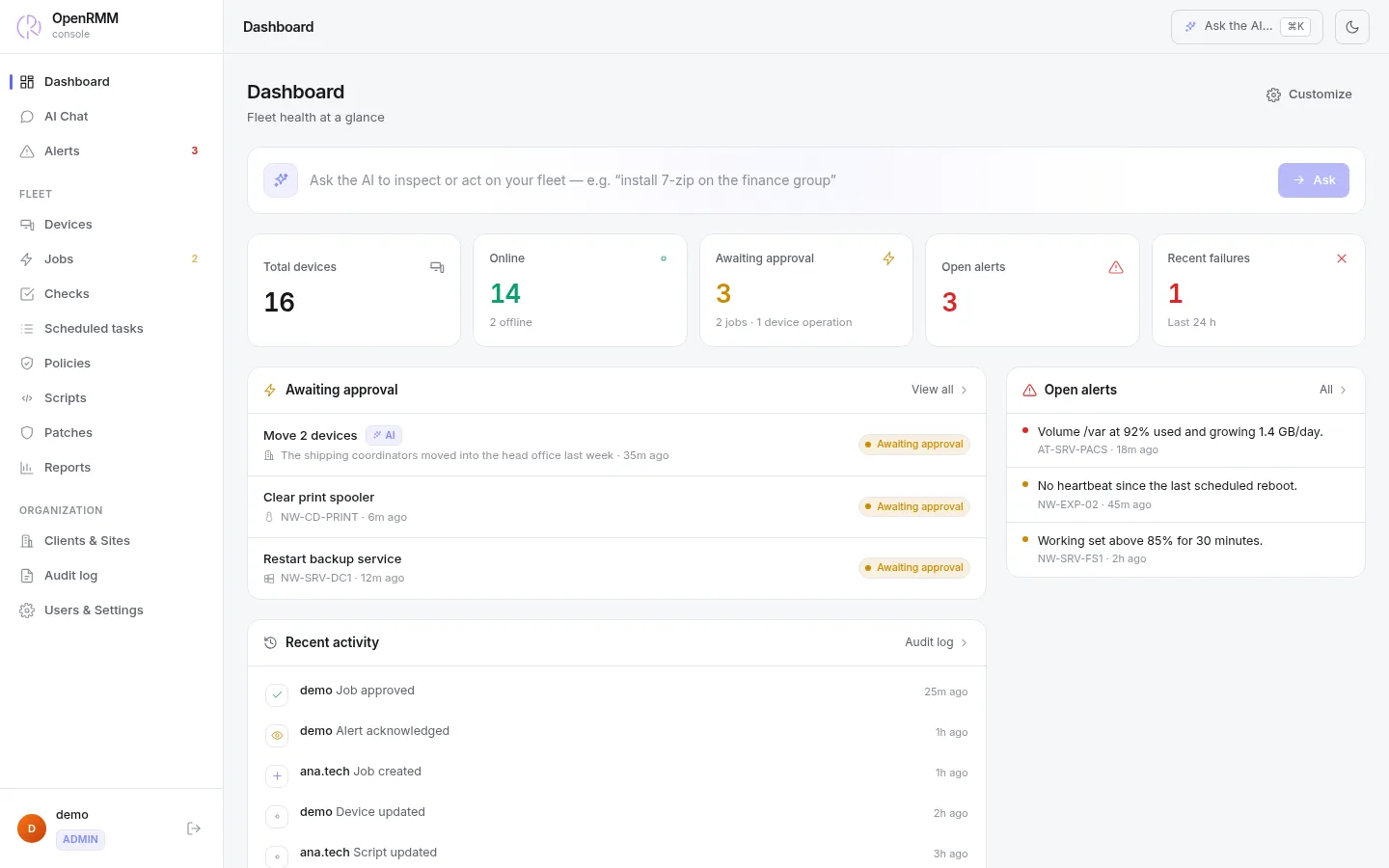
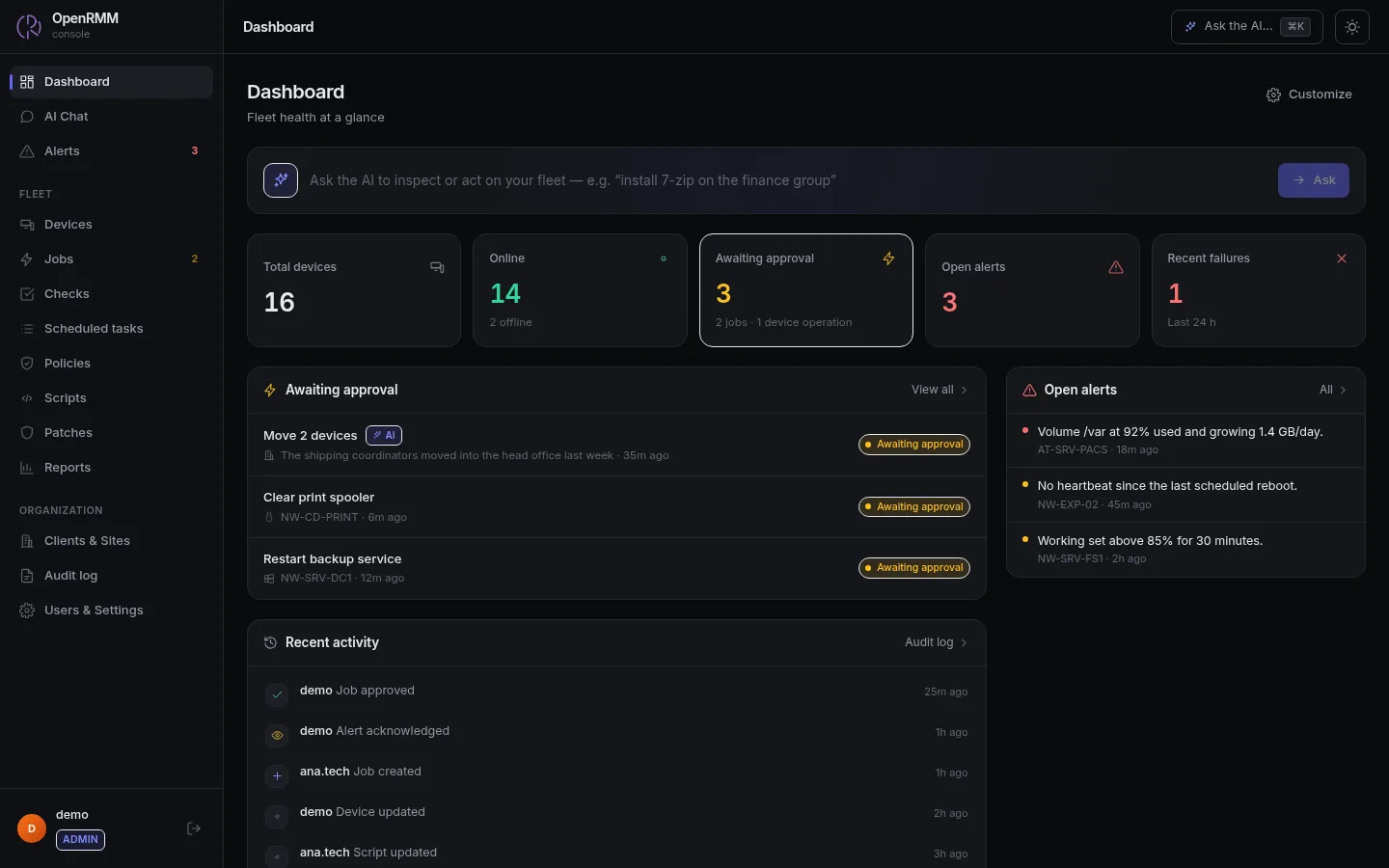
The whole fleet as soon as you sign in
Online and offline devices, pending approvals, open alerts, failures in the last 24 hours and each technician's activity. The dashboard can be customized.
Good to know
- More detailed, osquery-style inventory and device tags for filtering are on the roadmap.
- AI reports never write files to the machines. The result stays in the chat.

Explore the demo's inventory.
Sixteen example machines, with hardware, software and patches.