An AI that does the heavy lifting and asks before it acts
Ask in plain language: "which of client X's machines have a disk above 90%?" or "install 7-Zip on the finance machines". The AI queries the fleet, builds the right command for each system and leaves everything ready. You are the one who presses the button.
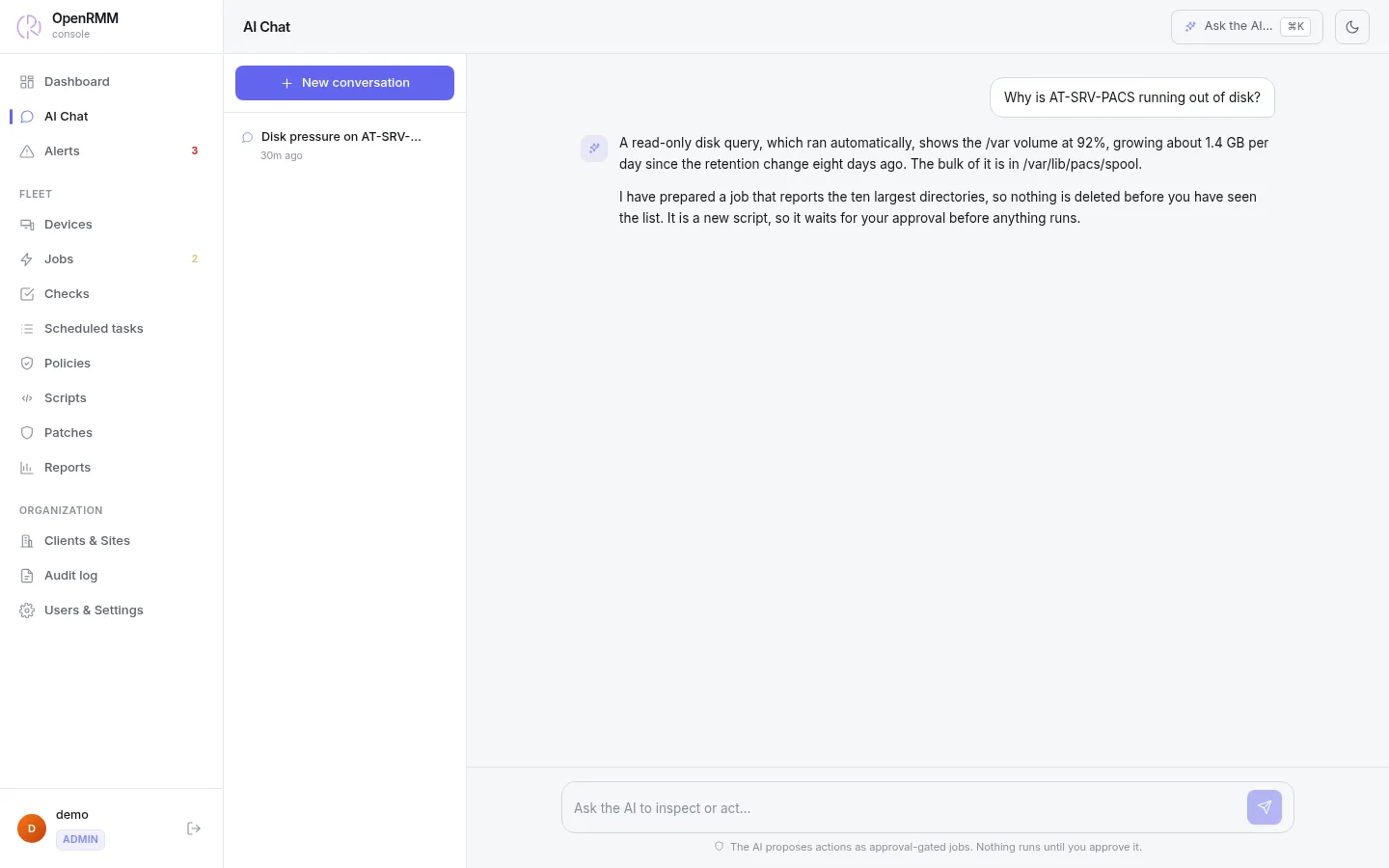
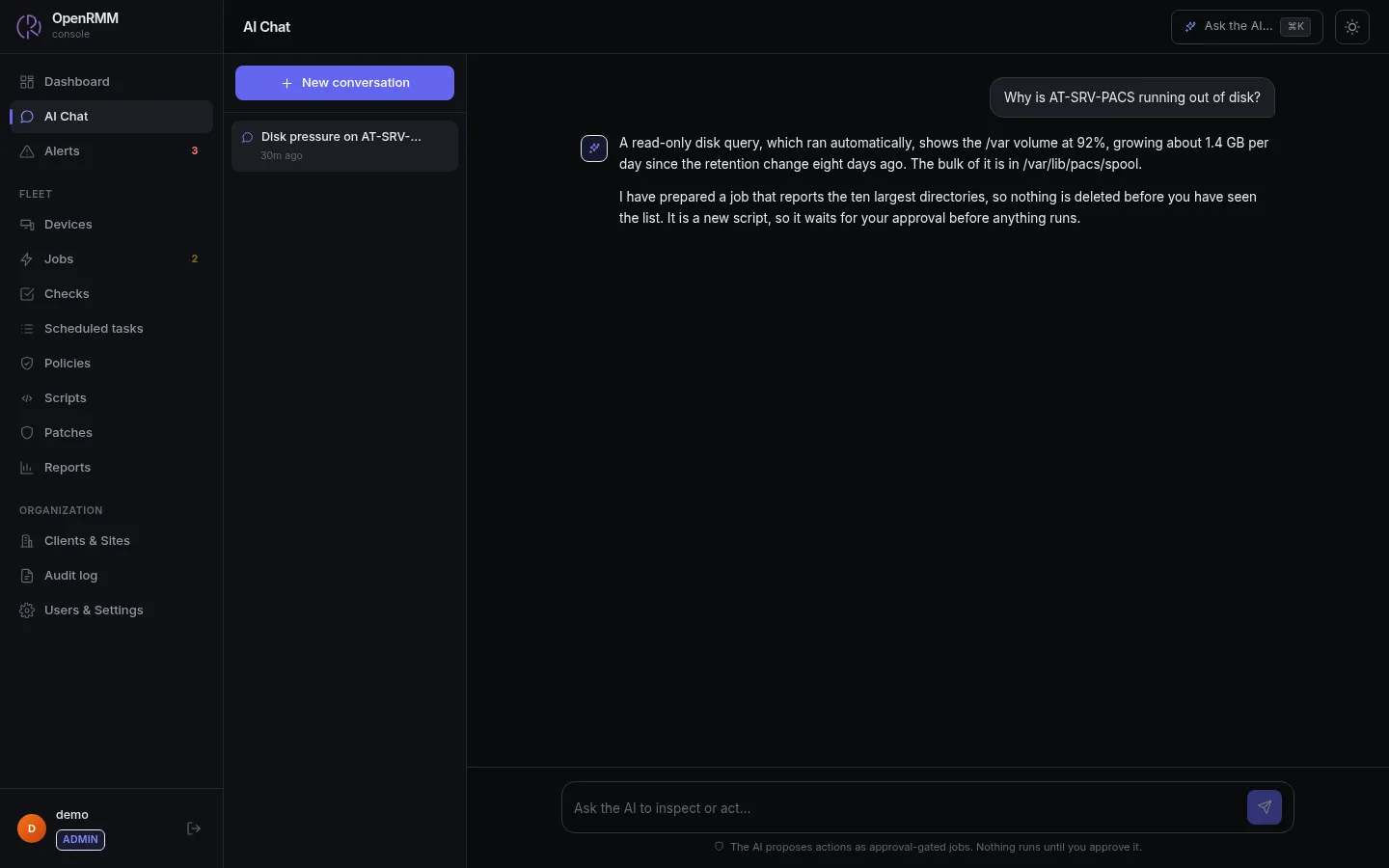
Query, cross-reference and summarize
Reading changes nothing on the machines, so the AI can look things up freely, including read-only queries on a device (processes, services, events, disk, network), always within the permissions of the technician using it.
Fleet and devices
Lists machines by client, site or status, reads each one's inventory and summarizes the fleet.
Reports
Builds inventory reports by company, site and department and generates a CSV to download.
Pending patches
Shows what is missing on each machine, with classification and CVEs.
Jobs, tasks and checks
Follows job status and shows which tasks, checks and policies are still proposals awaiting review.
Audit
Searches the log by person, action or target and exports it as CSV. Available to accounts without a scope restriction.
Organization
Knows the structure of companies, sites and departments, so it can answer questions per client.
Everything that changes a machine goes through you
Each proposal shows the command, the target and the reason. For common actions, the platform itself builds the right command for Windows, Linux or macOS and validates the parameters on the server.
| Request | How the proposal is created | Who releases it |
|---|---|---|
| Run a script | Job "awaiting approval". Nothing reaches the machine before that, unless an administrator released the script in advance. | A technician with permission to approve jobs |
| A script on many machines | A separate approval batch for each company | The technician for each client |
| Install or remove software | Uses winget, apt or brew depending on the system | A technician with permission to approve jobs |
| Restart a service, flush DNS, install a printer, restart a machine | Each system's native command, built by the platform | A technician with permission to approve jobs |
| Create a scheduled task or check | Created disabled and marked as an "AI proposal" | Whoever enables it records their own name |
| Create a policy | Awaiting review. Only for administrators without a scope restriction | Administrator |
| Move or delete machines | Pending-operations queue, up to 500 machines per request | A technician with permission at the time of approval. To delete, you must type the count |
Locks that live in the code, not in the model's good behavior
The model can make mistakes or be tricked by text coming from a monitored machine. That is why the locks do not depend on what it decides.
- Run a script nobody released. On its own it runs only scripts an administrator released in advance, bound to their exact content, and those that reboot, install, delete or change accounts or security settings can never be released.
- Approve its own proposals. Approval always belongs to a person.
- Approve patches. It only installs what someone has already approved. An empty list never becomes "install everything".
- Enable a task, check or policy. A database constraint refuses activation without review, wherever the request comes from.
- Delete companies, sites or groups. There is no tool for that.
- Step outside the technician's scope. It only sees and proposes on the machines the technician can access.
Your key, your provider, or a model on your network
OpenRMM talks to any provider compatible with the OpenAI API. You pay the provider directly, with no middleman and no token resale.
In the cloud
OpenAI, Anthropic or another compatible provider. Set the address and the model in the console.
Local
Ollama or vLLM on your own server. Commands and inventory never leave your infrastructure.
Protected key
The API key is write-only, stored encrypted with AES-256-GCM and never shown on screen again.
Or use your own assistant
Prefer the Claude or ChatGPT you already use? Connect through the MCP server, with the same locks.
Good to know
- The AI model is not included in the plan. You use your own key or a local model.
- Each answer can use up to 8 lookup steps. Queries with many rows stop at 1,000 and offer a complete CSV to download.
- Export links expire and only work for the account that requested them.

Ask the AI for something and watch the proposal arrive.
The demo has devices, alerts and proposals waiting for your approval. No sign-up needed.